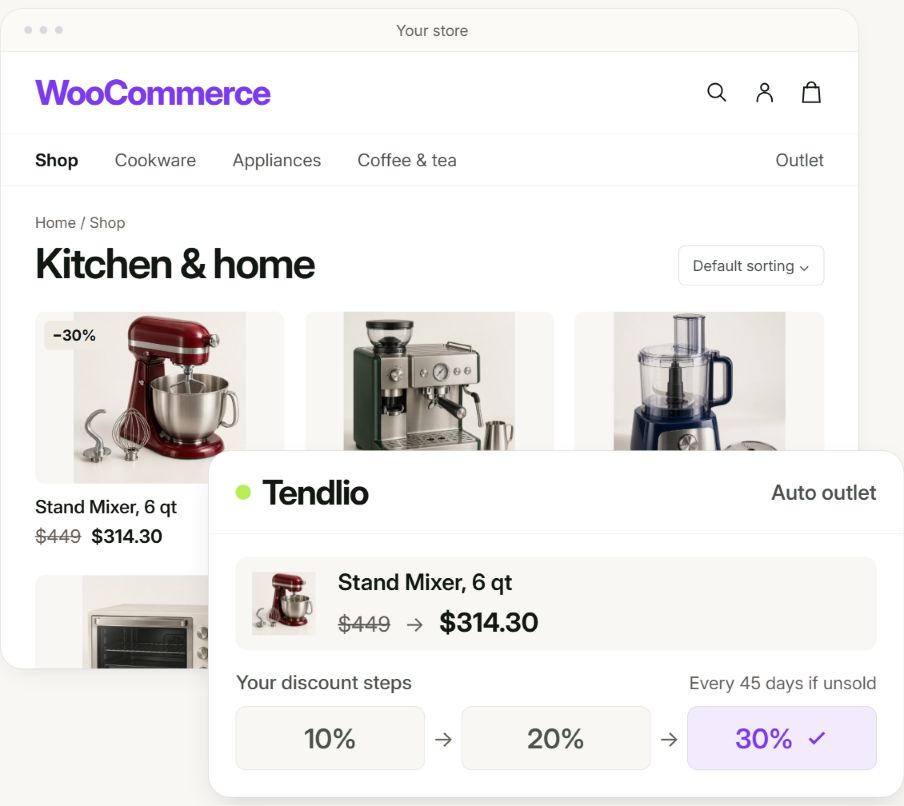
Your store is losing money it should be making. Tendlio is a WooCommerce plugin that finds the leaks and fixes them, then shows you the sales it brought in. All of it from the visitors and customers you already have.
Ask for one of 20 early access places now · Free trial at launch
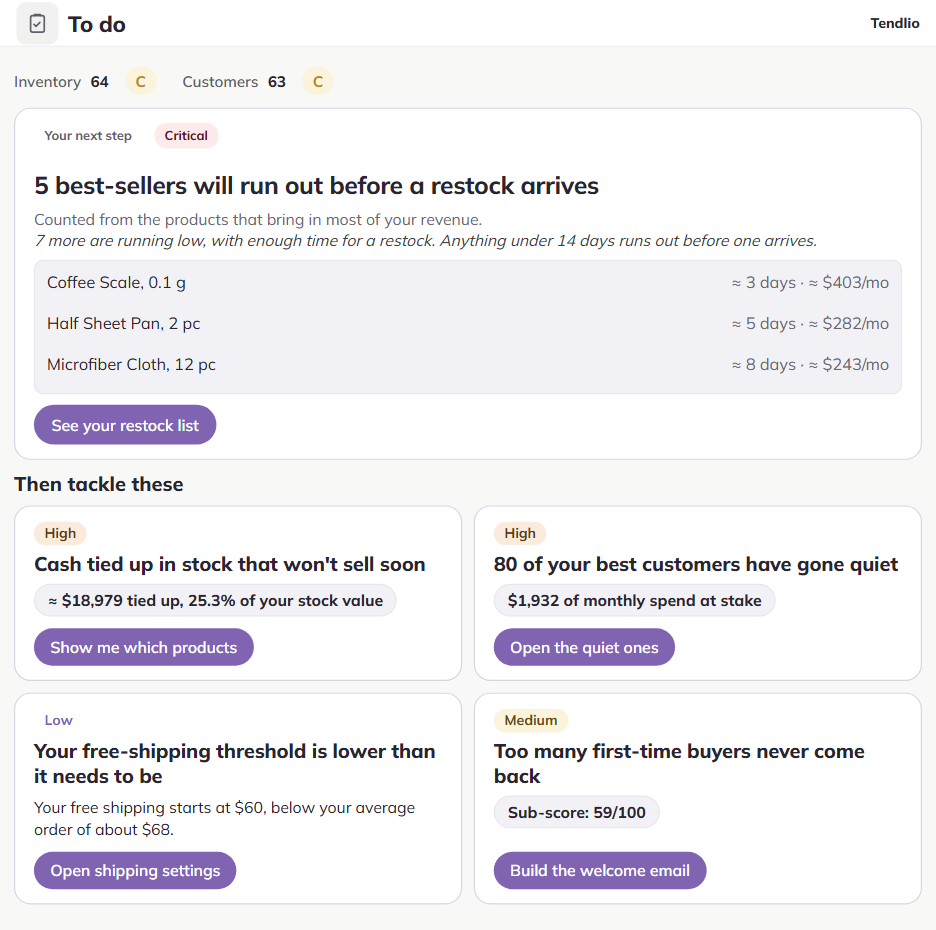
Four places a store loses money without noticing, and the built-in tool for each one. With all four on, more visitors buy, more customers come back, and less of your money sits in stock that stopped selling.
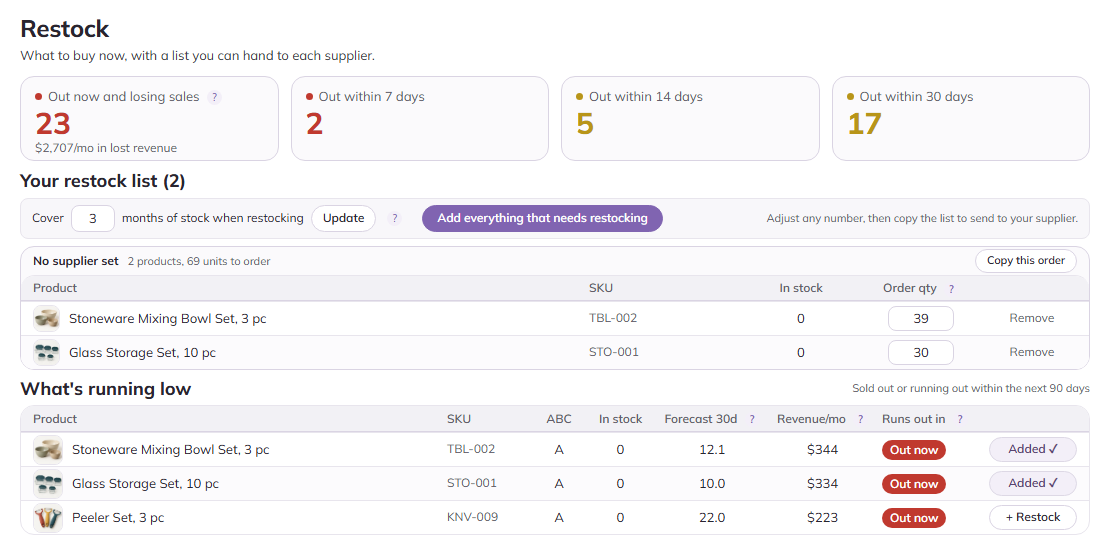
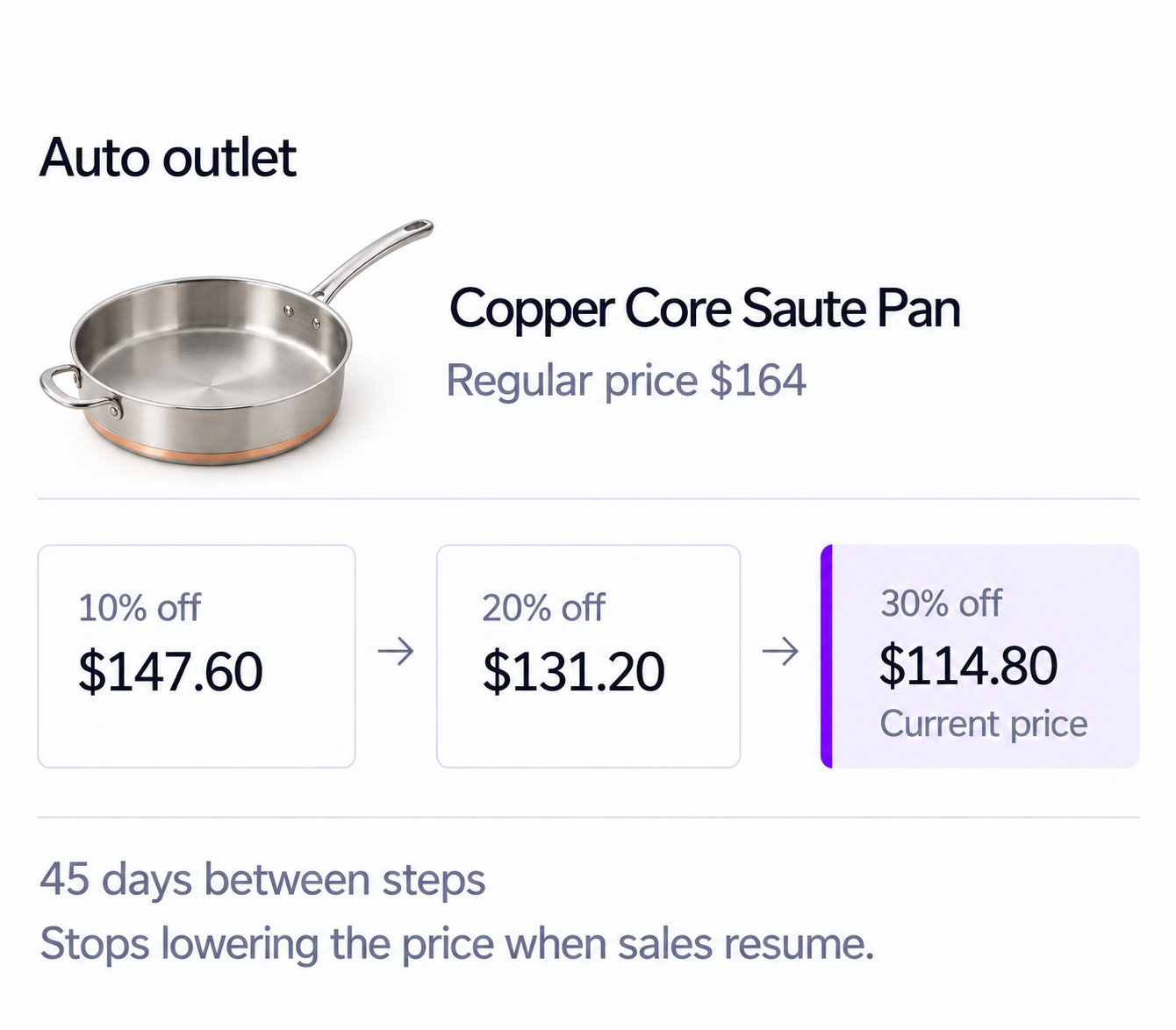
Restock shows what you’ll need next. Auto outlet clears dead stock in discount steps you set, and Smart Product Sort puts your best earners at the top of your category pages.
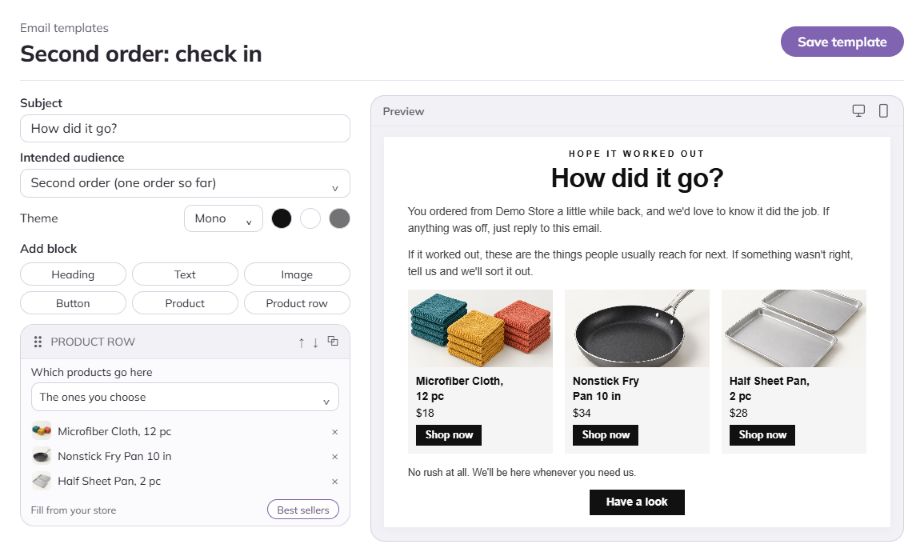
Segments show which customers are slipping away and Campaigns bring them back. Welcome & second-order emails turn first-time buyers into repeat customers.
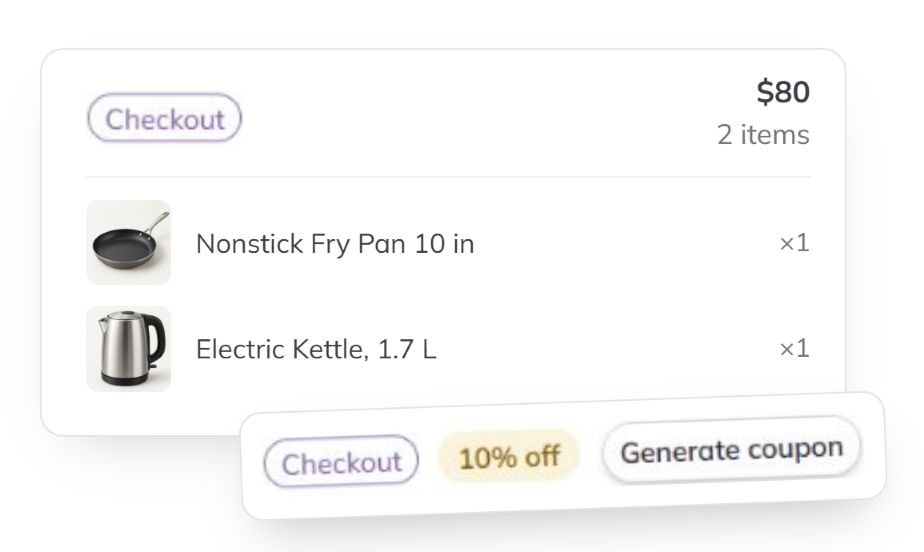
When a shopper leaves their email at checkout and doesn’t finish, Tendlio sends a reminder. If the order still hasn’t come, it sends one offer that fits the cart.
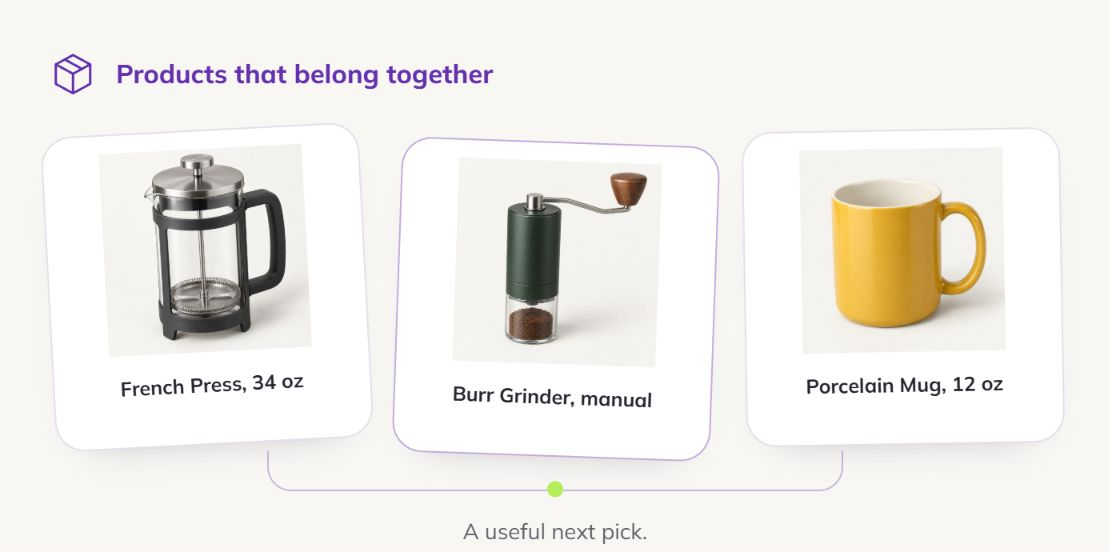
In-stock alternatives on a sold-out product, recommendations from what your customers buy together on product pages, in the cart and on the homepage, and a Deals page that gives marked-down products one place to sell.
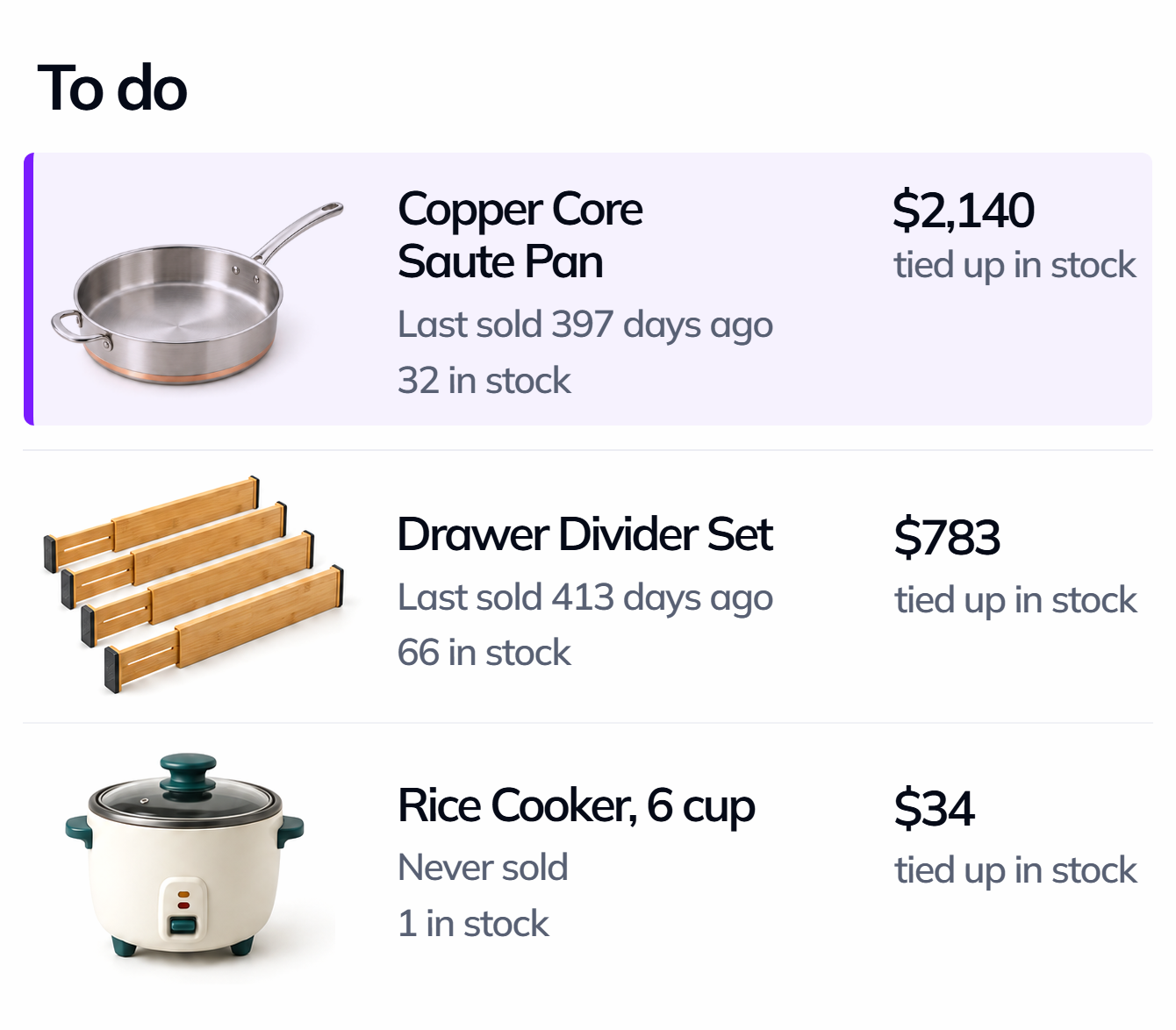
Products that haven’t sold in months show up at the top of your list, with the money sitting in them.
Start Auto outlet in Preview and see which prices it would lower. Switch Auto outlet to Live and it lowers those prices step by step, and stops lowering them on anything that starts selling again.
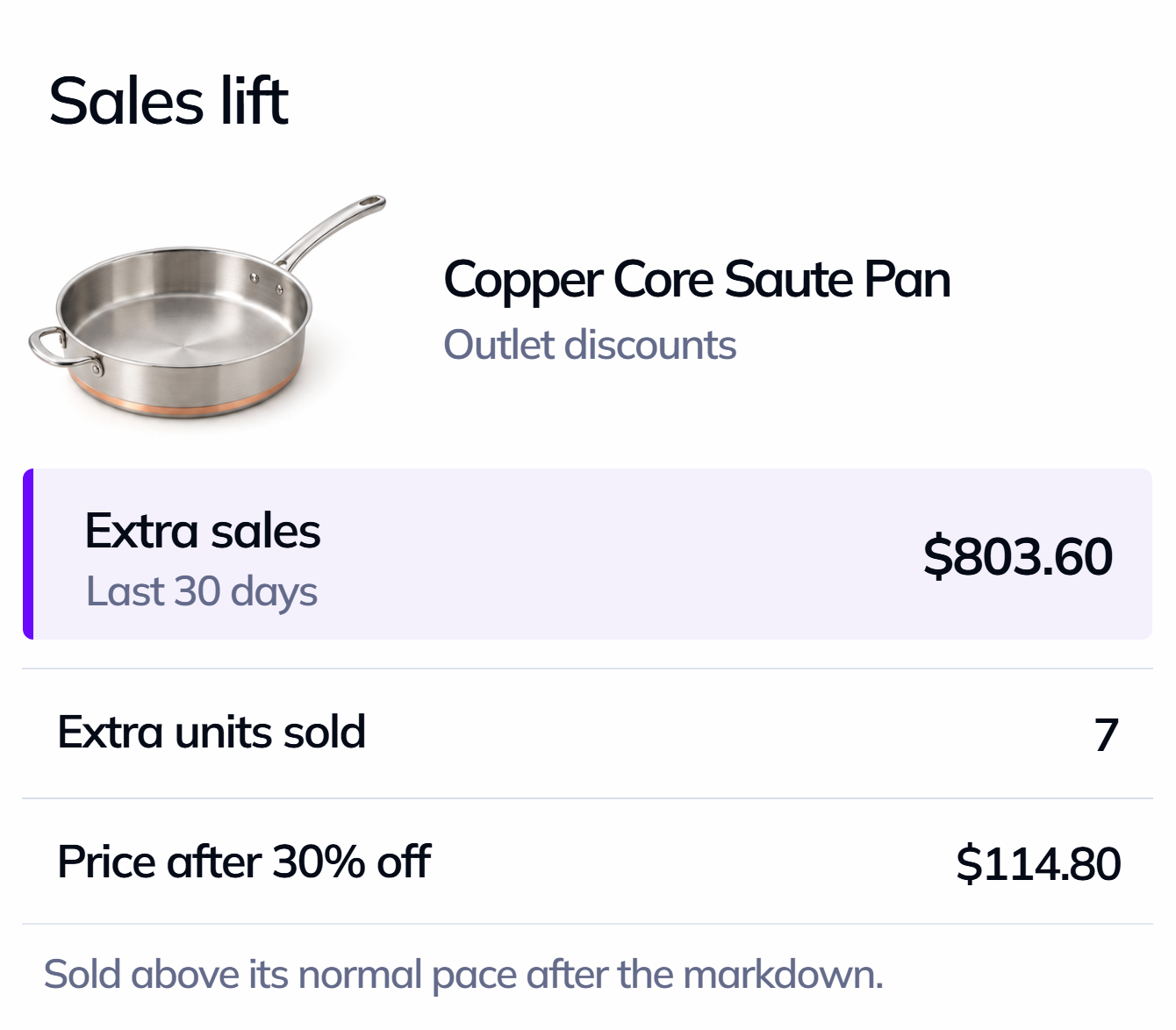
Sales lift shows what each tool brought in, like the extra units a markdown sold above the product’s normal pace.
The best “AI” for your store already exists: your own customer data.
We run our own store, and for years the same problems kept coming back: products we had bought too many of, best-sellers that sold out before the next delivery, and customers who bought once and never returned. We had no way to reliably track any of it.
So we built the fixes ourselves, inside our own store, one problem at a time. Over the years those tools became the part of the store we relied on most. Tendlio is those tools, rebuilt for any store that is run by its owner and holds its own stock.
Tendlio lives in your store, so it never copies your customers’ names, emails, addresses or orders anywhere. Tools and dashboards that live somewhere else need a copy of your store to work. Emails go out through your store’s own email, never ours.
Customers
Orders
Tendlio
Inside your store
Try Tendlio free for 30 days, with no card. Plans start at $49.95 a month.
Or $499 a year, two months free.
About setup, store requirements and your free trial.
Now, if your store is picked for early access. Sign up for the free trial and tick the early access box: we’re choosing up to 20 stores to run Tendlio before the public launch. Early access stores use Tendlio free until 30 days after launch, and if they buy a plan by then, they keep 50% off for life. Everyone else starts with the free trial at launch.
Never. Anything that reaches your customers or changes your prices arrives switched off. You turn on what you want, and you can preview it first.
The analysis runs in the background in small batches, built to stay light even on big catalogs and shared hosting, so shoppers don’t wait for it. To check on your own store first, try Tendlio on a staging copy. If you use a caching or optimization plugin, this guide lists the Tendlio scripts it should leave alone.
That’s your call, and Tendlio is built so it can be. Every area works on its own, so you can run Tendlio’s checkout recovery and recommendations and keep the review plugin you already like, or the other way around. What Tendlio’s versions add is that they know the rest of your store: the recovery offer is picked from what’s in the cart, and Auto outlet leaves alone products that are waiting for their season.
Yes, if your store runs WordPress 6.8 or newer, WooCommerce 10.0 or newer and PHP 8.2 or newer. HPOS stores are supported, multisite networks aren’t, and you don’t need to write any code. The installation guide lists every requirement, including the database version.
Practical guides on inventory, customers and recovering sales, with the numbers to check in your own store.
You’ve found the stock that isn’t selling. The four moves, in order of margin kept.
The second order is the steepest step in the whole customer relationship. How to win it, step by step.
Recovery emails work, but not as well as their own dashboards claim. How to measure what the email caused.
Early access is open now. Sign up to ask for one of the 20 early access places, or to hear when the free trial opens at launch. Early access stores that buy a plan keep 50% off for life.
We'd like to use cookies to count visits and see how people use these pages. We set them only if you accept, and you can change your choice any time under Cookie settings.